This giveaway is now closed. Thanks for stopping by. The winner is Linda. Congrats!
I’ve been playing with testing out the Palm Pre Plus for 2 weeks now and I’m highly impressed. What’s ironic about this 4 week test period is that I think I’ve only made one or two phone calls. The Palm Pre Plus is more like a computer than a phone. And the free and downloadable applications that are available help you customize and personalize the phone for your needs.
This week, I’m going to share with you my favorite apps (so far). The phone has an App Catalog which allows you to search dozens of applications “to make your phone more powerful, more useful, and more fun.” If you aren’t using the applications, you haven’t realized your phone’s full potential. Fortunately, the phone has 16 GB of memory because I’ve downloaded at least a dozen apps and plan on downloading a dozen more!
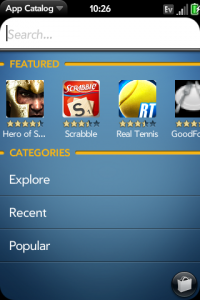
Staying connected, up-to-date, and informed are important to me as a mom. The Palm Pre Plus offers free social networking applications including Facebook, Pixelpipe, LinkedIn, and weTwit Lite. Downloading them from the App Catalog is quick and easy (once you can find them). The best way (in my opinion) to find the apps you’re looking for is to use the “Explore” function and search by category. It worked much better than using the search function. As an FYI, all the apps in this post are available as free downloads.
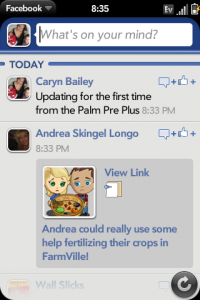
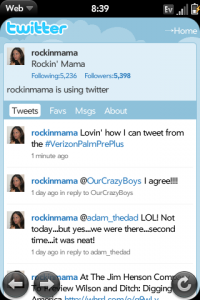
I downloaded all four of the social networking applications above, but have really only used Facebook and weTwit Lite. I can update my status and check on my friends’ statuses easily. I even managed to upload a picture and send it via Picture Tweet last week. Here are some screen shots from the phone (a task easily accomplished by pressing the grey button, the Sym button, and “p” at the same time):
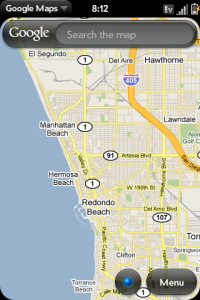
More and more I find myself heavily reliant upon technology. I can’t go anywhere without a GPS and a web-enabled phone because I tend to get lost. often. The Palm Pre Plus offers tons of apps that will help you get where you need to go. Google Maps, for example, offers you the ability to get directions to a location and follow traffic on the route to that location.
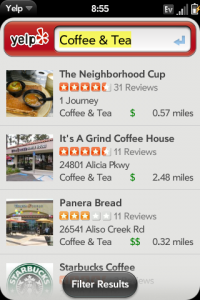
Looking for a place to eat, shop, drink, or relax? Complete with reviews from those who’ve been there? Check out Yelp. You knew I’d be looking for a coffee shop right?
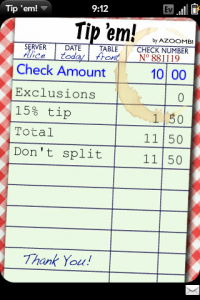
And while you’re there, download Tip ’em for a no-brainer way to calculate the tip on your bill.
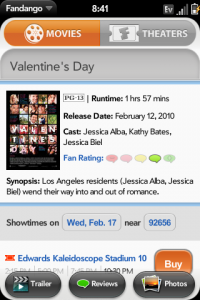
Hubby took me out over the weekend to celebrate Valentine’s Day. Fandango is a great way to check out the latest films, complete with movie times at your local theater.
I could write a book about all of the applications available for the Palm Pre Plus. Are you bored on a plane? Do you need to make a grocery list? Do you want to know what the weather is going to be like in your area? Or breaking news? I guarantee there is an app available for each of the above.
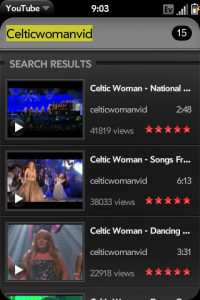
One last thing is worth mentioning. Very often, when we’re at a restaurant or grocery shopping, or otherwise engaged in an activity that my son isn’t particularly fond of, I’ll pull out my phone to entertain him. Now he can watch full-length YouTube videos while I finish my lunch.
Stay tuned for my next post which will highlight multi-tasking features moms will love.
And for another perspective on the Palm Pre Plus, check out these fabulous gals’ reviews:
Be sure to leave me a separate comment for each additional entry.
Follow me on Twitter AND tweet about the contest. Please use the hashtag #VerizonPalmPrePlus
Bonus: If you come back each week and comment, you’ll get an extra entry into the Palm Pre Plus giveaway. You must comment on each of the four posts to get the extra entry.
Vote for Rockin’ Mama for the Hot Blogger Calendar
Subscribe to my feed via email or reader.
Blog about this giveaway. It doesn’t have to be a separate post. Just include a blurb about it when you blog about other giveaways.
Click on one of the very cute buttons below and digg, stumble, fav, etc. Just let me know what you did in the comments!
I wrote this review while working on a Verizon Palm Pre Plus campaign by TheMotherhood.com on behalf of Verizon Wireless and have been given a Palm Pre Plus (and prizes for giveaways) to facilitate my review.


- Discover Luxury at Sonesta Irvine: Your Ideal Staycation - August 8, 2024
- CHOC Walk Returns to the Disneyland Resort – Special Events and Ways to Support - June 28, 2023
- Beastly Ball Returns to the Los Angeles Zoo - May 8, 2023

I look for a phone with a nice keyboard and I really like how the different apps look on this phone!
I am always looking for a great phone for my husband that has great features, but won’t break easily!
I subscribe to the rockin’ mama via e-mail!
I look for photo and video quality. I like that there are free down loadable applications for the Palm Pre Plus.
I reviewed a Blackberry recently so I look for all of the functionality (especially Twitter and Facebook!) in a smartphone. I love the Tip Em app – that’s really cool!
I look for a phone that I can read easily. Too many have print that is WAY too small! Google maps would also be great for me. I prefer to say that I am “directionally challenged”! :)
I like the fandango feature on this phone. I look for phone quality as a top priority in any phone.
i could use the google maps apps!
the twitter app for sure.
Pandora is the killer music app. I’d also like to see apps for Grooveshark (another streaming music service) and KenKen (my favorite mind game) but I don’t think they make them for the Palm yet.
I like to use the qwerty keyboard and the application social beat..
I would love the Mapquest Mobile app. Thanks so much for offering this great prize.
rickpeggysmith(at)aol(dot)com
I’m a subscriber.
Thanks again.
i like a phone with great benefits [email protected]
i’d like the expense tracker
email subscriber
I like that you can get the weather channel. Because around here you never know if it’s going to be rainy or sunny.
Email Subscriber!
I’d like to try the Facebook app. Then I could really keep up! :)
I subscribe to your feed via email.
i could see using the yelp app definately. I love that it has the reviews from poeple on it
http://twitter.com/cneiding/status/9318023972 tweet
email subscriber
stumbled it
I would use the Google maps app.
The Yelp! App would be great. You could be somewhere you’re not very familiar with and look up whatever cuisine you’re in the mood for. Great way to discover new favorites!
Like The FB & Twt!!
http://twitter.com/aleshamom4/status/9327735471
EM
http://digg.com/submit/details?key=598c32f4d3f34b12099edb707994a465
FB fan
http://delicious.com/save?jump=yes&partner=addthis&url=http%3A%2F%2Frockinmama.net%2F2010%2F02%2F17%2Ftesting-out-the-palm-pre-plus-its-all-about-the-apps-giveaway%2F&title=Testing+Out+the+Palm+Pre+Plus…It’s+All+About+the+Apps+*Giveaway*+%3A+Rockin+Mama¬es=
http://www.google.com/bookmarks/mark?op=add&bkmk=http%3A%2F%2Frockinmama.net%2F2010%2F02%2F17%2Ftesting-out-the-palm-pre-plus-its-all-about-the-apps-giveaway%2F&title=http%3A%2F%2Frockinmama.net%2F2010%2F02%2F17%2Ftesting-out-the-palm-pre-plus-its-all-about-the-apps-giveaway%2F&annotation=
http://www.stumbleupon.com/submit?url=http%3A%2F%2Frockinmama.net%2F2010%2F02%2F17%2Ftesting-out-the-palm-pre-plus-its-all-about-the-apps-giveaway%2F&title=Testing+Out+the+Palm+Pre+Plus…It’s+All+About+the+Apps+*Giveaway*+%3A+Rockin+Mama
I would most like to try the Google Maps app because I tend to get lost very, very easily.
The google map apps would be good
I just dropped my phone and shattered the screen :( so I need a new phone badly. I would get one this time with the full keyboard!! Thanks!
concerts app
[email protected]
email subscriber
[email protected]
I love a phone with lots of bells and whistles. Thanks for the chance.
[email protected]
I liked the ESPN MVP app and the Earthworm Jim game app (haven’t heard of that game in forever).
Subscribe via email.
the disney app looks cool
I’d like the Navigator app–I’m known for getting lost. Now, where am I??
dolniaks[at]consolidated[dot]net
I’d enjoy the Bejeweled Twist game app.
I like that you can get the weather channel. Because here in michigan you never know if it’s going to be rainy or sunny.
I’d love the ToDo Classic app. I can’t tell you how many times I’ve made a list and either lost it or left it at home :)
follow on twitter (someluckydog) and tweeted
http://twitter.com/someluckydog/status/9458113734
e-mail subscriber
blogged
http://someluckydog.blogspot.com/2010/02/win-25-verizon-gc-at-rockin-mama.html
faved on technorati (someluckydog)
stumbled! (someluckydog)
shared on facebook (Cindy Brooks)
http://www.facebook.com/SomeLuckyDog?v=feed&story_fbid=322225135115&ref=nf#!/SomeLuckyDog?v=feed&story_fbid=323057007535&ref=mf
The twitter app.
I would use google maps for sure.
My current favorite App is Grocery Manager. Moving from Palm TX, I was seeking something similar to HandyShopper, and Grocery Manager is it! I can add things to the list any time I think of it! Check it out at the App catalog!
I would most enjoy the Google Maps App.!
Tweet! http://twitter.com/her5boys480/status/9503181675
I would like to try the What’s for Dinner app, it would be great to have recipes handy when I am at the grocery store.
I look for something that is durable and can stand up to the demands of being outside in all weather.
A phone is an essential tool for me and I look for durability and function.
My first choice would be to get the Face Book app.
Mapquest mobile.
I would like the Mapquest Mobile app. I need it, actually.
I subscribe via RSS feed! :)
I think I’d like the Sporting News Pro Baseball App or the Sports Calendar App.
I subscribe in Google REader.
Tip’em looks great! Thanks for the chance.
I subscribe :)
i use yelp constantly so i would have to go with the yelp app!
ferriza2(at)yahoo(dot)com
email subscriber
ferriza2(at)yahoo(dot)com
The google maps app would be nice.
The apps I would try out first would be the games like Scrabble, Bejeweled, and Bookworm! I love to use my downtime for casual cell gaming. Thanks!
Id like to try the calorie counter app.
I love yelp!
decadent87 at gmail dot com
Subscribed via email
decadent87 at gmail dot com
Stumbled (decadent87)
tweet – http://twitter.com/jsoldham/status/9964183444
google map ty
I would really like to try the facebook and the google map on this…Both would be used regularly by me.
Thank you for the great giveaway!
Google Maps would be sweet to have!
I think the Google App is very useful, but who doesn’t need a flashlight app.
I have a palm Pre PLUS and I LOVE IT! I love the Facebook App, The Weather APP,The Today Show APP, and there are bunches of games in the app’s too!
I follow and tweeted!
@Gigglingkids
i really like the tip em,because I never know what to give!
ardelong2(at)gmail(dot)com
Would love to win !!!
Of course, the twitter app. Thanks
twitter follower(ccboobooy) tweet
http://twitter.com/ccboobooy/status/10006277456
email subscriber
i like Mediafly
Access the best of the web’s audio and video podcasts. Choose from convenient categories like News & Politics or Celebrity Gossip, or customize your own channels :)
email subscriber
http://twitter.com/klp1965/status/10008246168
posted on fb http://www.facebook.com/#!/KathyLPease?v=feed&story_fbid=340785567710&ref=mf
tried to vote for u again but i guess it isnt daily i got the message Thank you, we have already counted your vote.
PollDaddy.com
anyyyyyyyyyyyyyyyyyy way Good luck :)
I don’t play many computer games, but I’d love to have Scrabble on my phone! I love Twitter, so I think I’d enjoy having Twee on my phone, too.
I want to try the Mapquest app!
I’m subscribed to your RSS feed in my Google Reader.
I would like to try the Family Locator app.
The Pandora app looks very nice!
I subscribed to your email feed.